
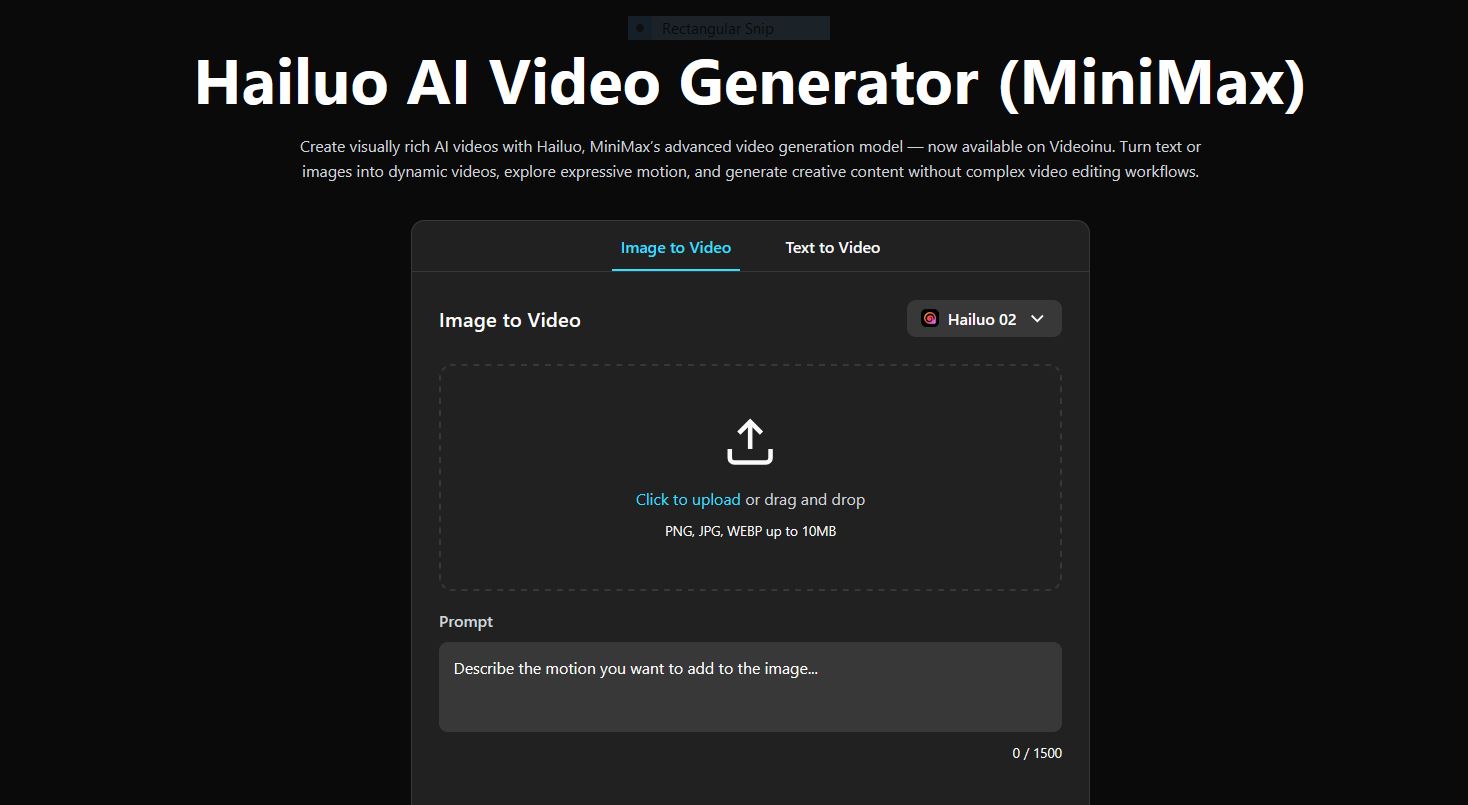
If you want to try Hailuo AI without paying from the start, Videoinu is a simple place to begin. New users can start with free credits after signup, and Hailuo is available through Videoinu’s regular video creation tools.
On Videoinu, Hailuo AI is described as a model for visually rich, expressive AI videos with natural motion, and it supports both text-to-video and image-to-video creation.
Hailuo works especially well when you want to turn a simple idea into a short visual scene quickly. It is positioned as a model for creative exploration, storytelling, and concept-driven videos rather than a tool that requires a heavy editing workflow.
What Hailuo AI Is Good For
Hailuo is a good fit for short creative clips, mood-driven scenes, concept visuals, and story-friendly video ideas. Videoinu describes it as focusing on expressive motion, coherent scenes, and creative interpretation of prompts, which makes it useful when you want a result that feels more animated and visually alive.
That also makes it a strong option for testing ideas before building something larger. A creator might start with one short Hailuo scene, then decide to turn that idea into a more structured sequence later. That is where Videoinu’s AI Story Video Generator fits naturally, since it is designed to turn a written story or script into connected scenes with continuity and flow.
How to Use Hailuo AI on Videoinu
Step 1: Sign Up for Videoinu
Start by creating an account on Videoinu. Once you are inside, you can use the platform’s normal video tools and begin testing your first ideas. Videoinu’s public onboarding guide says new users receive free credits after signup, which is the easiest way to get started without committing right away.
Step 2: Open a Video Tool and Choose Hailuo
After signing in, open one of Videoinu’s video creation tools and choose Hailuo as the model. Hailuo supports both text to video and image to video, so the better starting point depends on how clear your idea already is. If you only have a concept in your head, text to video is usually the simplest place to begin. If you already have a strong image or design, image to video can give you more control.
Step 3: Start with a Clear Prompt or Image
If you are using text to video, keep the first prompt simple and visual.
For example:
A girl stands on a rooftop at sunset, wind moving through her hair, warm cinematic mood.
This kind of prompt works because it gives the model a subject, setting, and tone without overloading it. Videoinu’s text-to-video workflow is built around starting with a short prompt or description, then shaping the result through style and direction.
If you are using image to video instead, upload a strong image and use the prompt mainly to guide movement or camera feel. Since Hailuo supports both paths, you can choose the workflow that feels more natural for the idea you want to test.
Step 4: Adjust Style and Motion
This is where Hailuo becomes more interesting. Videoinu’s Hailuo page says you can fine-tune motion intensity, visual tone, and creative details, and that the model is built for quick experimentation with different looks.
Instead of writing a huge paragraph, it usually works better to start with a clean idea and then adjust:
- motion strength
- visual tone
- pacing
- overall creative direction
That fits Hailuo’s role on Videoinu. It is meant to help you explore expressive visual results quickly rather than get stuck in a complicated setup.
Step 5: Generate, Review, and Expand if Needed
Once your setup is ready, generate the first version and review the result. Videoinu says you can preview the output, regenerate variations if needed, and download the final video directly. It also notes that generating multiple versions is part of the workflow, which is useful when you want to compare different visual outcomes.
If the result starts to feel like part of a bigger sequence, that is where the AI Story Video Generator becomes relevant. It is built for turning a written story, plot outline, or script into a sequence of connected scenes, which makes it a natural next step when one Hailuo clip grows into something more narrative.
Why Videoinu Is a Good Place to Try Hailuo AI
One reason is that the workflow stays simple. Hailuo is available through the same video creation system used for other models, so you do not need to learn a separate process just to test it. The Hailuo page itself presents the tool through direct text-to-video and image-to-video creation options.
Another reason is that Videoinu connects short-form experimentation with longer storytelling workflows. Hailuo can be used for quick expressive clips, while the AI Story Video Generator supports structured, multi-scene story videos when your idea grows larger. That makes the platform more useful than a one-off clip tool.
Tips for Better Hailuo AI Results on Videoinu
Start with one clear scene. Hailuo is described as expressive and visually rich, so prompts that feel like one complete moment usually work better than crowded instructions.
Use text to video for fast testing. If you are still figuring out the idea, text to video is usually the quickest way to see how Hailuo handles tone, motion, and scene composition.
Treat the first result as a draft. Videoinu explicitly supports generating multiple versions, which is often the best way to find the strongest output.
Move into story workflows only when the idea needs it. Not every Hailuo clip has to become a story video, but when a short scene starts to feel like part of something bigger, Videoinu’s AI Story Video Generator gives you a more structured way to build it out.
Final Thoughts
The easiest way to use Hailuo for free on Videoinu is to sign up, open a video tool, choose Hailuo, and start with a clear prompt or image. From there, you can shape motion and style, generate variations, and refine the result step by step. If the idea grows beyond one short clip, Videoinu also gives you a natural path into story-based creation.
FAQs
Can I use Hailuo for free on Videoinu?
Yes. Videoinu’s public onboarding guide says new users receive free credits after signup, which can be used to try the platform’s video creation workflow.
What is Hailuo best for on Videoinu?
Videoinu describes Hailuo as a model for expressive motion, coherent scenes, and creative visual interpretation, which makes it a strong fit for short creative clips and concept-driven videos.
Can I use text to video with Hailuo?
Yes. Videoinu’s Hailuo page says Hailuo supports text-to-video generation, and its text-to-video workflow is built around prompt-based video creation.
Is Hailuo useful for story ideas?
Yes. Videoinu says Hailuo is useful for storytelling and concept visualization, and if your idea grows into multiple connected scenes, the AI Story Video Generator is designed for that next step.
Do I need editing experience to use it?
No. Videoinu says users can create with Hailuo without complex editing workflows, which lowers the barrier for beginners.
