

Spotify has become one of the most popular music streaming platforms in the world, offering millions of songs, albums, playlists, and podcasts at your fingertips. Whether you’re into pop, rock, jazz, or podcasts, Spotify makes discovering music incredibly easy. However, many users still face one major limitation: Spotify does not allow you to download music as MP3 files for permanent use.
If you’ve ever wondered how to download Spotify music to MP3 so you can listen offline on any device, back up your favorite tracks, or enjoy Spotify songs without restrictions, ViWizard Spotify Music Converter is the perfect solution. In this article, we’ll explain why converting Spotify music to MP3 is useful and how ViWizard makes the process simple, fast, and high-quality.
Why Download Spotify Music to MP3?
Although Spotify Premium allows offline listening, downloaded tracks are encrypted and can only be played within the Spotify app. Once your subscription expires, those downloads become unavailable. Converting Spotify music to MP3 offers several advantages:
- Permanent ownership: Keep your favorite Spotify songs forever.
- Device flexibility: Play MP3 files on phones, MP3 players, car systems, smart TVs, and more.
- Offline listening anywhere: No internet connection or Spotify app required.
- Easy backup and sharing: Store your music locally without DRM limitations.
To achieve this safely and efficiently, you need a professional Spotify to MP3 converter—and that’s where ViWizard shines.
What Is ViWizard Spotify Music Converter?
ViWizard Spotify Music Converter is a powerful desktop tool designed to download and convert Spotify music into common audio formats such as MP3, WAV, AIFF, AAC, M4A, and M4B. It removes Spotify’s DRM protection while preserving original audio quality and ID3 tags, including song title, artist, album, and cover art.
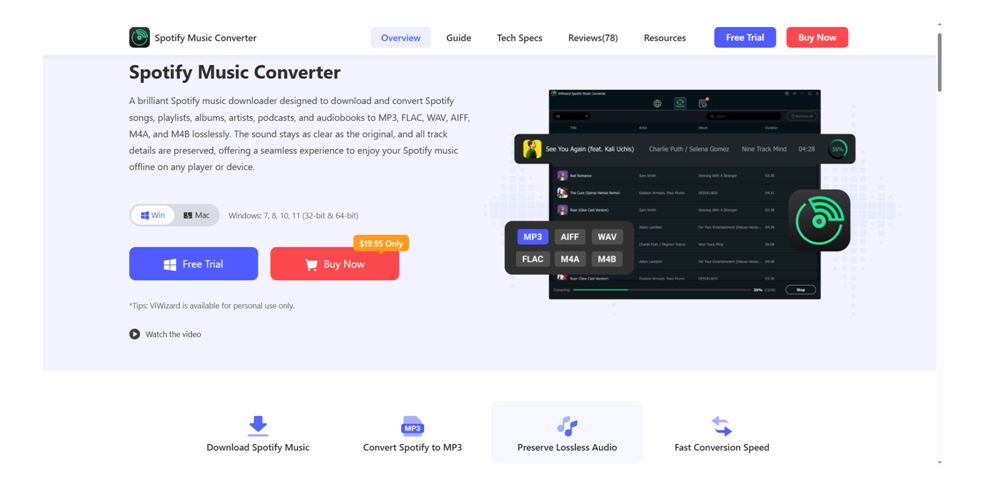
Compatible with both Windows and macOS, ViWizard works seamlessly with the Spotify Web Player, making it suitable for both Free and Premium users.
1. Convert Spotify Music to MP3 with High Quality
ViWizard allows you to download Spotify songs, albums, playlists, and podcasts and convert them to MP3 at up to 320 kbps, ensuring studio-level sound quality. You won’t lose audio clarity during the conversion process.
2. Remove DRM from Spotify Tracks
Spotify music is protected by DRM, which limits playback to authorized devices. ViWizard removes this protection so you can enjoy your Spotify tracks freely on any platform.
3. 15× Faster Conversion Speed
Thanks to advanced acceleration technology, ViWizard converts Spotify music up to 15 times faster while maintaining stability and performance—even when processing large playlists.
4. Preserve ID3 Tags and Metadata
All essential information, including artist name, album, genre, track number, and album artwork, is retained. This makes managing your MP3 music library simple and organized.
5. Free and Premium Spotify Support
You don’t need a Spotify Premium account to use ViWizard. Even Spotify Free users can download and convert music to MP3 without ads interrupting the output files.
How to Download Spotify Music to MP3 Using ViWizard
Downloading Spotify music to MP3 with ViWizard is straightforward and beginner-friendly. Just follow these steps:
Step 1: Install ViWizard Spotify Music Converter
Download and install ViWizard Spotify Music Converter on your Windows or Mac computer. Launch the program after installation.
Step 2: Import Spotify Music
The built-in Spotify web player will launch. Log in to your account and browse your music. Select the song, album, or playlist you want to download and click the button + to add them to ViWizard.
Step 3: Choose MP3 as Output Format
Go to the settings menu and select MP3 as the output format. You can also customize bitrate, sample rate, and output folder according to your preferences.
Step 4: Start Converting Spotify to MP3
Click the Convert button, and ViWizard will begin downloading and converting Spotify music to MP3 files at high speed.
Step 5: Enjoy Spotify MP3 Files Anywhere
Once the conversion is complete, you can transfer your MP3 files to any device and enjoy Spotify music offline without limits.
Why Choose ViWizard Spotify Music Converter?
There are many Spotify converters on the market, but ViWizard stands out for its reliability, quality, and ease of use. Unlike online tools that may compromise audio quality or security, ViWizard offers a professional desktop solution with consistent performance and frequent updates.
Whether you want to listen to Spotify music in your car, on an MP3 player, or without a subscription, ViWizard provides a smooth and trustworthy experience.
Final Thoughts
If you’re looking for the best way to download Spotify music to MP3, ViWizard Spotify Music Converter is an excellent choice. It combines high-quality audio output, fast conversion speeds, full metadata preservation, and wide compatibility—all in one easy-to-use tool.
Stop worrying about Spotify’s playback restrictions and start enjoying your favorite music freely. With ViWizard Spotify Music Converter, converting Spotify songs to MP3 has never been easier.
