
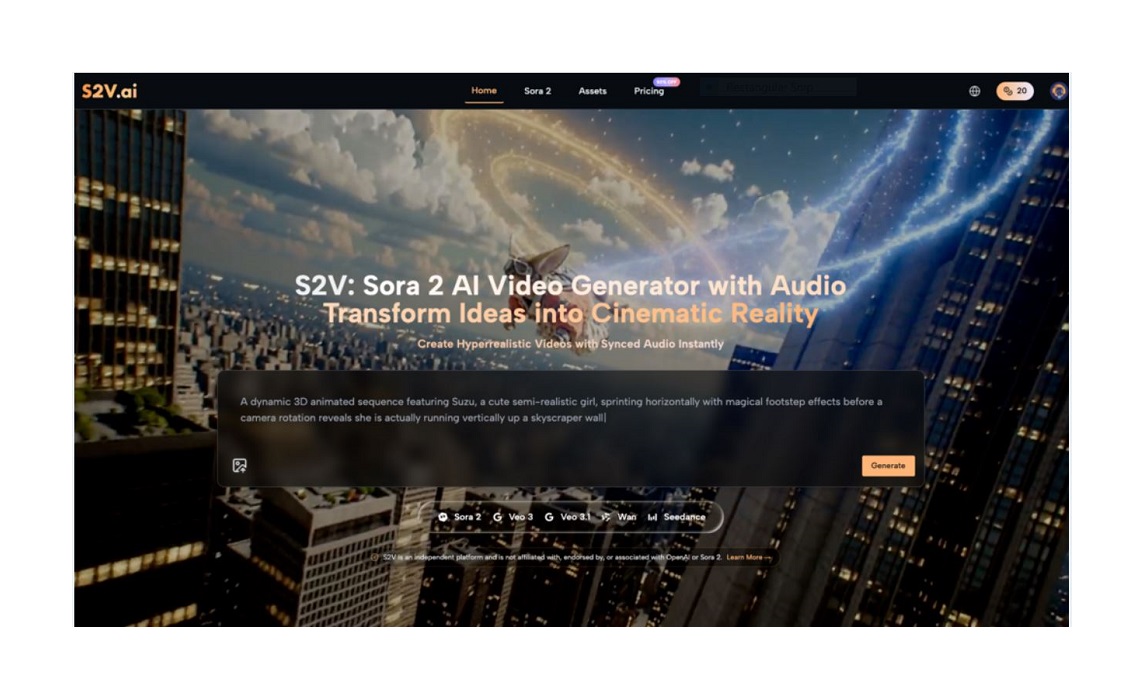
When I first logged into S2V to try Sora 2 AI, I stared at the text box for 10 minutes, paralyzed. I’d seen the viral clips—cinematic shots, smooth motion, perfectly synced audio—and I expected to type a few words and get a “professional” video. Instead, my first Sora 2 AI Video was a blurry mess: a misaligned scene, choppy motion, and audio that felt disconnected from the visuals. That moment taught me the most important lesson about adopting AI video tools: it’s not a breakthrough, but a journey of trial, error, and gradual improvement.
Beginners often approach AI video tools with unrealistic expectations, fueled by highlight reels and overly simplified tutorials. But the reality is far more grounded: success with Sora 2 and other AI tools comes from embracing uncertainty, learning from mistakes, and adjusting your process over time. This guide breaks down what that journey actually looks like—no hype, no buzzwords, just real advice from someone who’s been in your shoes.
The Myth of Instant Perfection: What Beginners Actually Face with Sora 2 AI
The biggest misunderstanding new users have about Sora 2 AI Video is that it’s a “set-it-and-forget-it” solution. I thought typing “a coffee shop scene with warm lighting and soft music” would be enough to get a polished clip. Spoiler: it wasn’t.
My first Sora 2 AI Video had a coffee cup that floated mid-air, lighting that shifted randomly, and audio that sounded like it was recorded in a hollow room. I felt frustrated—like I was “doing it wrong.” But after talking to other beginners, I realized this is normal. AI video tools, even advanced ones like Sora 2, don’t read your mind; they interpret your prompts, and those interpretations often miss the mark the first (or fifth) time.
Another common roadblock? Overcomplicating your first attempts. I tried to create a multi-scene video with Sora 2 Pro on day one, thinking more complexity would equal better results. Instead, I ended up with disjointed clips that had no flow. Beginners thrive when they start small—not with cinematic masterpieces, but with simple, single-scene videos that let them learn the basics of prompt writing and model selection.

Starting Small: Your First Steps with Sora 2 AI Video
The key to avoiding early frustration with Sora 2 is to lower your expectations and start with micro-experiments. You don’t need to create a full video on day one; focus on mastering one element at a time.
Master Prompt Writing (It’s Not as Scary as It Sounds)
Sora 2 AI relies on clear, specific prompts to generate accurate videos. Vague prompts like “a dog playing” will lead to inconsistent results. Instead, add details about setting, lighting, motion, and mood. For example: “A golden retriever playing fetch in a green park, afternoon sunlight, slow-motion, playful mood, soft background rustling sounds.”
I learned this the hard way. After dozens of lackluster Sora 2 AI Video attempts, I started keeping a notebook of prompts that worked—adding one detail at a time and testing the difference. Small tweaks, like specifying “natural skin tones” or “steady camera movement,” made a huge difference in the quality of my outputs.
Choose the Right Sora 2 Model for Your Skill Level
S2V offers three Sora 2 models: Basic, Pro, and Pro Storyboard. As a beginner, start with Sora 2 Basic. It’s fast, reliable, and designed for simple, single-scene videos—perfect for learning the ropes.
I wasted hours trying to use Sora 2 Pro Storyboard (which handles multi-scene narratives) before I mastered the basics. Sora 2 Basic let me focus on prompt writing and understanding how the AI interprets my requests without the added complexity of storyboarding. Once I felt comfortable with Basic, I gradually moved to Pro—and the transition was much smoother.
Trial, Error, and Refinement: Mastering Sora 2 Through Experimentation
Adopting Sora 2 AI Video isn’t about getting it right the first time; it’s about learning from each attempt. I like to call this “intentional trial and error”—testing one variable at a time to see what works.
For example, when my Sora 2 AI Video had blurry details, I tested different prompt adjustments: adding “8k resolution” vs. “sharp focus” vs. “detailed textures.” I found that “sharp focus on small details” gave me the clearest results for close-up shots. When the audio felt off, I experimented with adding specific sound descriptions, like “soft jazz music at 50% volume” instead of just “background music.”
This process is time-consuming, but it’s how you build intuition for Sora 2. I still have days where my Sora 2 AI Video doesn’t turn out as planned, but now I see those failures as data—not setbacks. Each bad clip teaches me what not to do, and over time, my success rate has climbed.
Using Sora 2 Pro Storyboard (When You’re Ready)
Once you’re comfortable with Sora 2 Basic and Pro, you can try Sora 2 Pro Storyboard for multi-scene videos. This tool lets you break your video into segments, each with its own prompt, ensuring continuity across scenes—a game-changer for longer content.
My first attempt with Sora 2 Pro Storyboard resulted in scenes that looked like they were from different videos (different lighting, inconsistent character details). I learned to add a “style guide” prompt at the top of my storyboard, like “consistent warm lighting, same character design, soft camera movement throughout,” which helped Sora 2 maintain cohesion.

One of the biggest advantages of S2V is that it integrates Sora 2 (from OpenAI) and Veo 3 (from Google) in one platform—so you don’t have to switch tools to access different AI models. As a beginner, it’s easy to feel overwhelmed by choice, but understanding the difference between Sora 2 and Veo 3 can save you time.
Sora 2 AI Video excels at natural, realistic motion and intuitive prompt interpretation. It’s ideal for social media content, short clips, and beginner-friendly projects. Veo 3, on the other hand, focuses on native audio integration and cinematic quality—great for more polished, professional videos.
I still default to Sora 2 for most of my projects because it aligns with my workflow. But when I need a video with perfectly synced audio (like a product demo), I switch to Veo 3. The key is to experiment with both and see which fits your needs—no need to commit to one model forever.
Building a Sustainable Workflow: Integrating Sora 2 AI into Your Routine
The final step in adopting Sora 2 AI Video is to build a workflow that works for you—one that’s sustainable, not perfect. This means setting realistic goals, organizing your process, and embracing the fact that AI is a tool, not a replacement for your creativity.
I started by setting aside 30 minutes a day to practice with Sora 2—no pressure to create something “good,” just to experiment. I created a folder of my best prompts, organized by project type (social media, product demos, etc.), so I could reference them later. Over time, this small daily practice turned into a consistent workflow that saves me hours of time.
Remember: AI video tools like Sora 2 are meant to make your life easier, not add more stress. If you’re feeling overwhelmed, step back. Take a break from complex projects and go back to simple prompts. Progress, not perfection, is the goal.
Adopting Sora 2 AI Video as a beginner is a journey—one filled with uncertainty, trial and error, and small wins. It’s not about becoming an AI expert overnight; it’s about learning to work with the tool, adjusting your expectations, and refining your process over time. When I look back at my first Sora 2 AI Video compared to the ones I create now, the difference is night and day—but that progress didn’t happen instantly. It happened one prompt, one experiment, one mistake at a time.
If you’re just starting out, be kind to yourself. Embrace the uncertainty, learn from your mistakes, and keep experimenting. Before you know it, Sora 2 will feel like a natural part of your creative process—not a intimidating tool you’re trying to master.
