
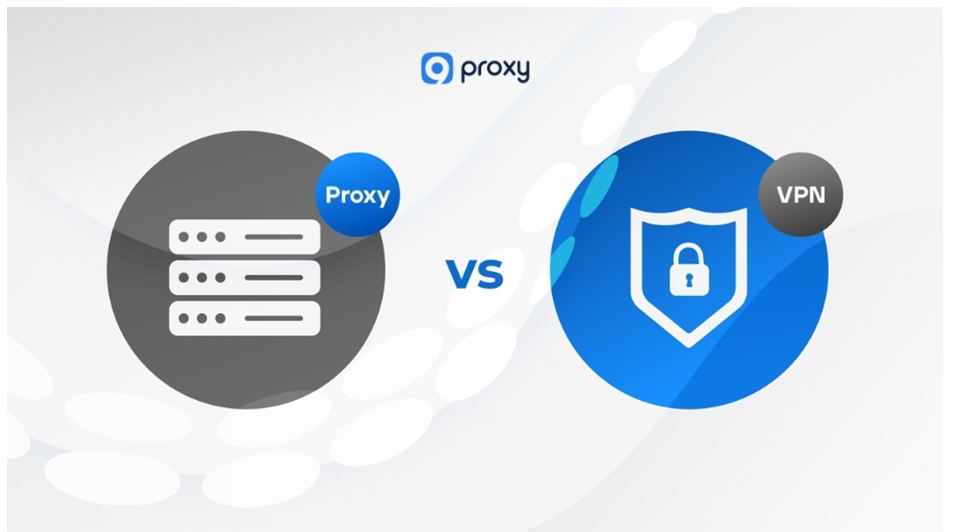
The internet in 2026 is more tracked and geo-restricted than ever. Everyone agrees they need a privacy tool, but figuring out which one to use is where people get stuck.
A lot of users just go with a VPN because it’s the most familiar name. Others look for a quick fix and search for free proxy options. But defaulting to one without knowing the difference could leave you either overspending on features you don’t need or under-protected when it really matters.
Here’s the key insight: both tools mask your IP address, but the underlying technology makes them suited for completely different tasks. Understanding that difference saves you time, money, and unnecessary data exposure.
How Do Anonymous Proxies and VPNs Actually Work?
Before comparing the two, it helps to understand what each one is actually doing behind the scenes.
What are anonymous proxy servers?
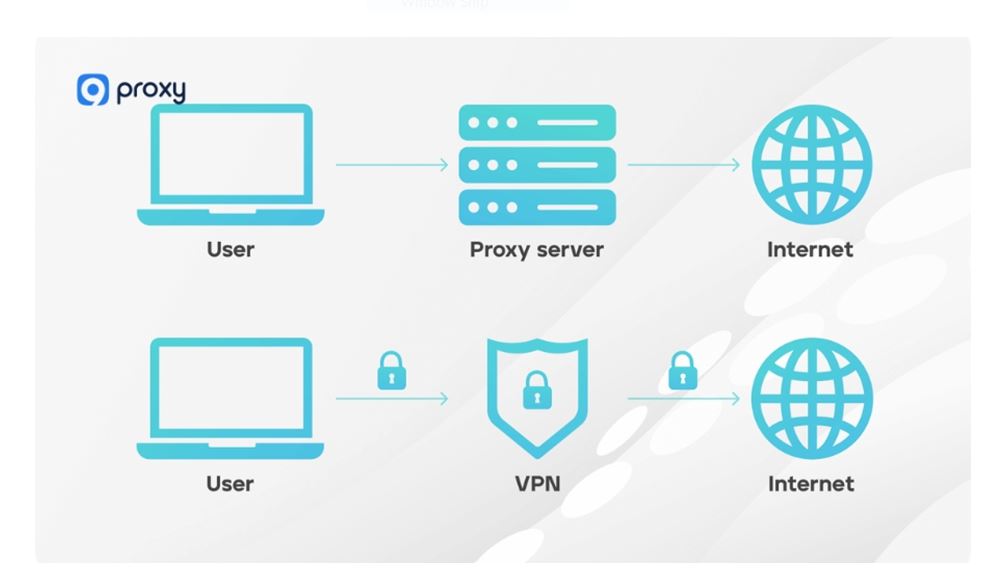
Think of anonymous proxy servers as middlemen for your web traffic. When you send a request, the proxy steps in, strips away your real IP address, and forwards the request to the destination on your behalf. The website on the other end only sees the proxy’s IP, not yours.
The most common version people encounter is an online anonymous proxy, a web-based tool you open in your browser and paste a URL into, no downloads or setup needed. You can also configure a proxy directly in your operating system settings or inside scraping software for more advanced use.
The important thing to understand is that proxies work at the application level. If you route your browser through a proxy, only your browser traffic is masked. Every other app on your device, your email client, messaging apps, and background services keep using your real IP.
What is a VPN (Virtual Private Network)?
A VPN works at a much deeper level. Instead of intercepting traffic from a single app, it operates system-wide and creates an encrypted tunnel for all traffic leaving your device, your browser, background apps, games, everything.
On top of masking your IP, a VPN wraps your data in heavy encryption so that even if someone intercepts your traffic (say, on a public Wi-Fi network), they can’t read it. That’s a capability that proxies, for the most part, simply don’t offer.
Head-to-Head: Proxy vs VPN
On paper, both tools do the same thing: hide your IP. But the differences under the hood are what really matter. Here’s a quick breakdown.
| Feature | Anonymous Proxy | VPN (Virtual Private Network) |
| Traffic scope | App-level (e.g., just your browser) | System-level (entire device) |
| Encryption | Usually none (or basic SSL) | Heavy encryption (AES-256) |
| Speed | Generally faster (less overhead) | Can be slower due to encryption |
| Cost | Many cheap or free options | Usually requires a subscription |
| Best for | Testing, scraping, quick access | Privacy, security, streaming |
Which One Fits Your Specific Needs?
The right tool depends entirely on what you’re trying to do. Here’s how each use case breaks down.
1. Privacy and Security, Winner: VPN
If you’re doing online banking, logging into sensitive accounts, or using a public Wi-Fi network at a café or airport, a VPN is the only real option. The full-device encryption makes sure no one on the same network can snoop on your connection. A proxy won’t protect you here; it masks your IP but leaves everything else wide open.
2. QA Testing and Web Scraping, Winner: Proxy
Developers and SEO professionals often need to simulate traffic from dozens of different countries at high volume. Rotating proxies are built for exactly this; they let you cycle through IPs without the system-wide overhead of a VPN.
But in 2026, the bottleneck isn’t just the quantity of IPs, it’s the reputation score. Using a provider with access to high-quality IP pools—such as a Residential proxy network—ensures your requests are indistinguishable from real users. This is critical when navigating advanced anti-bot layers like Cloudflare or Akamai, where standard datacenter IPs are flagged almost instantly.
3. Regional Access (Bypassing Geo-Blocks), Context Dependent
This one depends on what you’re trying to do. If you just need to quickly read a news article that’s blocked in your region, a web proxy gets the job done in seconds. But if you want to stream high-definition video without your ISP throttling your connection or your data being exposed, a VPN is the better long-term solution.
Are Free Anonymous Proxy Sites Actually Safe to Use?
Free tools are everywhere, and the appeal is obvious. But “free” in the proxy world usually means you’re the one paying, just not with money.
The trap of the anonymous proxy free option
Searching for an anonymous proxy free of charge is tempting, and there are plenty of them out there. But free proxies come with real trade-offs that most people don’t consider until something goes wrong.
Many free proxy providers log your browsing activity and sell that data to third parties. Others are run by shady operators who inject ads or even malware into your traffic. And almost all of them are overcrowded, which means speeds are slow and connections drop constantly.
Free proxies are fine for a one-time task where privacy doesn’t matter. For anything sensitive or ongoing, a paid residential proxy or a reputable VPN is worth the investment.
Why was my connection blocked?
If you’ve ever tried to stream a geo-blocked show and hit an “anonymous proxy detected” error message, you know how frustrating it is. This happens because major streaming platforms like Netflix and Hulu maintain constantly updated lists of known datacenter proxy IP addresses, and when they spot traffic coming from one, they block it automatically.
Low-quality shared proxy IPs get flagged almost instantly because thousands of other users are making requests from the same address. The fix is to upgrade to a premium residential proxy (IPs that belong to real home internet connections) or use a high-quality VPN with obfuscation technology that makes your traffic look like regular browsing.
Datacenter vs Residential Proxies: Why IP Quality Changes Everything
In 2026, simply “hiding” your IP is no longer enough. Sophisticated anti-bot systems now analyze the ASN (Autonomous System Number) and IP Reputation Score of every connection.
If you use a standard datacenter proxy, you are likely sharing a subnet with thousands of other bots, leading to instant “403 Forbidden” errors. This is why the industry has shifted toward Residential SOCKS5 Proxies. By using an IP that is officially registered to a local ISP, your traffic is indistinguishable from a legitimate resident.
Solutions like 9Proxy address this challenge by providing access to large pools of residential IPs with ISP-level targeting, helping maintain consistency between simulated and real-user traffic across different regions.
Whether you’re conducting a localized SEO audit in Jakarta or scraping e-commerce data in New York, the “Residential” tag is your only insurance against detection.
Conclusion
Here’s the rule of thumb: use a VPN when you need comprehensive, encrypted privacy across your entire device. Use a proxy when you need fast, targeted, app-level access, especially for testing, scraping, or quickly bypassing a content block.
The mistake most people make is treating these tools as interchangeable. They’re not. Each one is designed for a specific job, and picking the right one depends entirely on what you’re actually trying to do.
Before downloading anything, ask yourself: do I need full-device protection, or just quick IP switching for a specific task? The answer tells you everything.
