
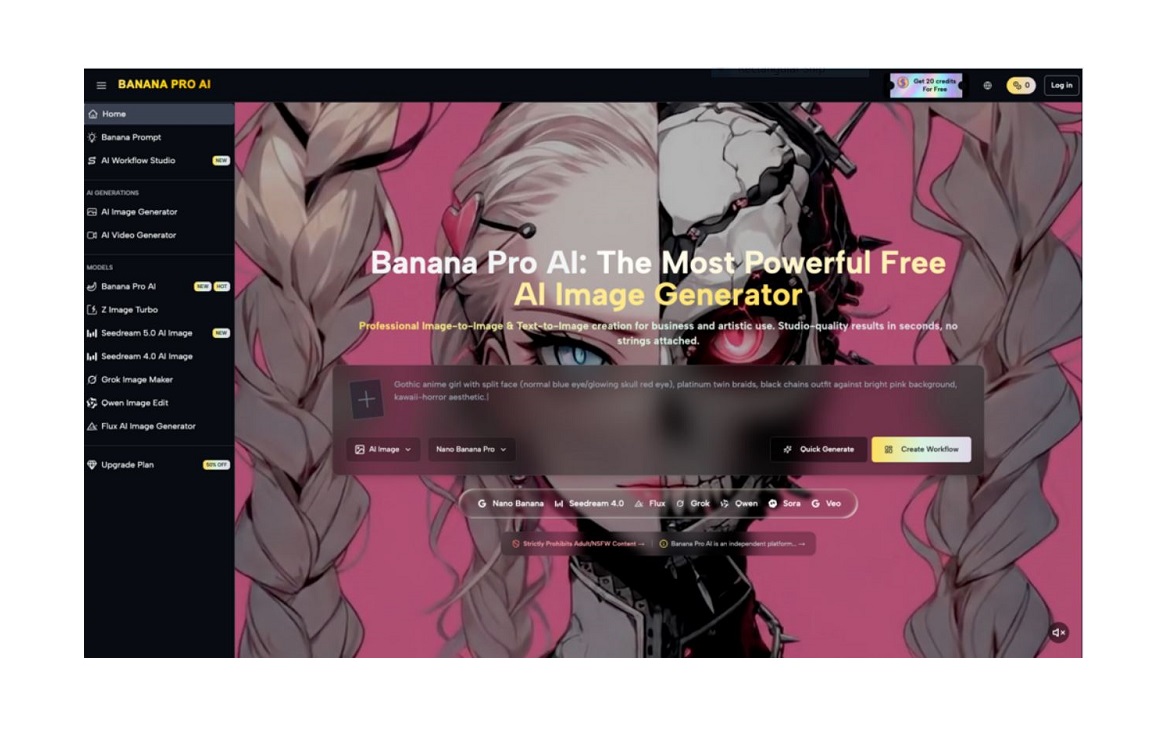
Many creators jump into AI image tools expecting instant, professional results. The reality is slower, messier, and far more rewarding. This guide shares a practical, experience-based approach to adopting AI visual tools—using Banana Pro AI as a core example—without hype or unrealistic promises.
Why New Creators Struggle with Unrealistic AI Expectations
Most beginners arrive with two common assumptions. They think AI will replace design skills entirely. They also believe one simple prompt will produce a perfect, ready-to-use image.
These beliefs lead to frustration when early outputs feel inconsistent. Social media highlights polished final results, not the dozens of attempts behind them.
New creators often skip foundational learning. They want instant success instead of gradual improvement. This gap between expectation and reality is the biggest early barrier.
Banana Pro AI works best when you treat it as a collaborative tool, not a magic solution. It speeds up parts of your workflow but still needs clear direction and iteration.

My First Hands-On Experience with Banana Pro AI
I started with zero formal AI imaging experience. My goal was simple: create consistent blog visuals without spending hours on design.
My first day was full of small wins and messy surprises. I tested vague prompts, misunderstood settings, and generated more unusable images than keepers.
This messy start is normal for any new tool. The value comes from noticing patterns and adjusting your approach over time.
The First Attempts: Messy but Informative
I began with text-to-image, typing basic ideas like “minimalist blog header for a tech article.” The results were colorful but unfocused.
Details felt off. Compositions lacked balance. Text elements were unclear or distorted. These early flaws taught me to be more specific.
I then tried image-to-image on Banana Pro AI, uploading a simple sketch. The tool preserved my core layout while adding polish. This hybrid approach immediately clicked.
Within an hour, I realized specificity beats speed. Vague prompts waste time. Clear, targeted descriptions yield far better results.
What I Learned in the First Week
By day three, I stopped chasing perfection. I focused on collecting usable drafts instead of final assets.
Banana Pro AI’s speed let me test 10–15 variations in the time one manual design would take. This rapid iteration changed how I approach creative work.
I also noticed consistent patterns. Simple, literal prompts worked better than complex artistic jargon. Lighting and style keywords made the biggest difference in quality.
By the end of the week, I had a functional system. I could generate usable social media graphics and blog illustrations faster than before.
How to Learn AI Image Tools Through Trial and Error
AI tools aren’t learned in one sitting. They require small, repeated experiments to build intuition.
Start Small, Not Perfect
Choose one narrow use case to master first. Don’t try to handle social media, blog art, and product mockups all at once.
For example:
- Focus only on 1:1 square social media graphics
- Stick to one consistent style for your brand
- Limit yourself to 2–3 prompt structures
This focus helps you learn Banana Pro AI’s behavior faster. You’ll see how the tool responds to small changes in wording or structure.
Use Both Text-to-Image and Image-to-Image
Many beginners only use text-to-image. Combining both modes creates more reliable results.
- Text-to-image: Great for original concepts and quick ideation
- Image-to-image: Better for consistency, refinements, and style transfers
I often sketch a rough layout, upload it to Banana Pro AI, and prompt for style and lighting. The AI respects the original composition while elevating quality.
This hybrid method cuts down trial and error. It gives you more control over the final look.

Building a Simple, Repeatable Workflow
After a month of testing, I settled into a four-step workflow that works with Banana Pro AI. It’s low-effort, consistent, and scalable.
- Define the goal and formatWrite one clear sentence about purpose, platform, and style.
- Draft a tight promptInclude subject, setting, lighting, style, and composition. Avoid extra fluff.
- Generate 3–5 variationsUse rapid iteration to pick the strongest base image.
- Refine with image-to-imageUpload your favorite version and prompt for small improvements.
This system removes decision fatigue. You spend less time staring at settings and more time creating usable assets.
Over time, you’ll build a library of go-to prompts and styles. These shortcuts make future projects even faster.
Adjusting Your Expectations for Long-Term Success
AI doesn’t eliminate learning curves. It moves them from manual drawing and editing to prompt crafting and direction.
You’ll still need to:
- Develop a clear vision
- Communicate that vision clearly
- Select and refine the best outputs
- Maintain brand consistency
Banana Pro AI handles the technical heavy lifting. You provide the creative direction.
This shift changes how you spend time. You spend less time on repetitive work and more on ideation and selection.
Final Thoughts: Progress Over Perfection
Adopting AI visual tools isn’t about instant transformation. It’s about small, steady improvements to your creative process.
My early results were far from professional. But with consistent, low-pressure practice, I built a reliable system. Now I create visuals faster and with less stress.
Banana Pro isn’t a replacement for creativity. It’s a partner that handles repetitive tasks so you can focus on what matters.
If you’re a beginner, be patient. Embrace the messy first drafts. Celebrate small wins. Learn from every imperfect output.
Over time, you’ll develop a natural workflow. AI will stop feeling like a challenge and start feeling like a core part of your creative process.
The best way to start is simple: open Banana Pro AI, type one clear prompt, and begin experimenting.
