
Online shopping has improved dramatically, but it still asks customers to make decisions through a flat screen.
A product page may include professional photography, close-up details, videos, and customer reviews. Even so, shoppers can still struggle to understand an object’s real size, depth, shape, and relationship to the space around it.
This is especially common with furniture, home accessories, electronics, lighting, footwear, bags, toys, and decorative products. A photograph can make an item look attractive, but it may not answer the questions that influence a purchase.
How large will it feel in a room? What does the back look like? Will the shape work beside existing furniture? Does the product still look convincing when viewed from another angle?
Three-dimensional product content and augmented reality can help answer those questions. IKEA is an example of a popular brand that takes advantage of this. The difficulty is that many ecommerce businesses do not have a large library of ready-to-use 3D assets.
AI-generated 3D is beginning to lower that barrier.
It does not make AR commerce fully automatic, but it gives brands a faster way to create an initial product model, test interactive experiences, and decide whether a larger investment is justified.
Why Flat Product Images Are Sometimes Not Enough?
Traditional product photography remains essential. It communicates style, branding, colour, materials, and real-world context.
However, even an excellent photo only shows the product from one selected viewpoint.
A shopper may still be unable to understand:
- The product’s overall volume
- Its depth and thickness
- The relationship between different parts
- The shape of the back or sides
- How it might look in a real environment
- Whether the dimensions suit an available space
- How the material responds from different angles
These uncertainties can slow down buying decisions.
They may also contribute to disappointment after delivery, especially when the product looks different from what the customer imagined.
An interactive 3D view allows shoppers to rotate the object and inspect it more freely. An AR experience can take the next step by placing a virtual version of the product inside the customer’s own surroundings.
The experience does not need to be highly complex to be useful. Even a clear rotating model can provide information that a set of flat images may not communicate as effectively.
The Real Bottleneck Is Often the 3D Asset:
When businesses discuss AR shopping, the technology itself receives most of the attention.
Yet the practical obstacle is often more basic: the brand does not have an accurate and optimized 3D model for each product.
Traditional production may require:
- An experienced 3D modeler
- Product dimensions and reference materials
- Geometry creation
- Texture and material work
- Logo and label placement
- File optimization
- Mobile-device testing
- Several rounds of approval
This process is manageable for a small premium product range. It becomes more difficult when a store carries hundreds of items, changes products frequently, or wants to test AR before committing a large budget.
The cost of preparing the assets can stop the experiment before it begins.
AI-generated 3D changes the economics of the first stage. It gives brands a way to create an early asset more quickly and determine whether the experience is worth refining.
Turning a Product Image Into an Initial Model:
Many ecommerce brands already have clean product photographs, design renders, packaging visuals, or catalogue images.
These materials can provide the starting point for an image to 3D workflow.
A clear product reference can be used to create an initial textured model. The strongest source images usually contain one main object, a simple background, clear lighting, limited obstruction, and a viewpoint that shows both the front and some depth.
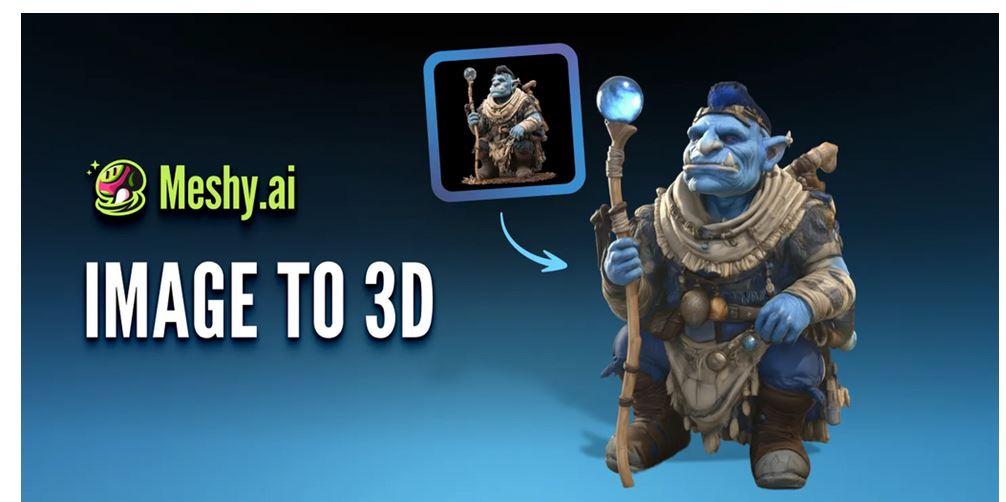
Platforms such as Meshy AI can help ecommerce teams reach that first 3D draft without beginning with a completely manual modeling process.
The generated result still needs to be reviewed carefully.
One photograph does not reveal the back, underside, internal structure, or exact dimensions. Hidden areas have to be estimated, and small text, logos, buttons, seams, or reflective materials may not be reproduced accurately.
The model should therefore be treated as a starting point rather than a finished commercial asset.
Which Products Are Good Candidates?
Some product categories are easier to test than others.
Good early candidates often have:
- A clear silhouette
- A relatively simple structure
- Limited transparency
- Moderate surface detail
- Few moving parts
- Reliable product photographs
- A strong reason for customers to understand size or shape
Examples include:
- Furniture
- Lamps
- Home decoration
- Consumer electronics
- Bags
- Shoes
- Toys
- Collectibles
- Sporting equipment
- Packaged products
- Handmade items
More difficult subjects include highly transparent objects, mirrored surfaces, loose fabrics, fine hair, reflective metals, and products with complex internal mechanisms.
These products can still be modeled, but they may require more manual correction and specialist material work.
Brands do not need to start with every SKU.
A better approach is to select a small group of products where spatial understanding is most likely to influence the customer’s decision.
The Model Can Be Useful Even Before AR Launches:
A 3D model does not become useless if an AR feature is delayed.
The same asset can support:
- Rotating product videos
- Multi-angle images
- Interactive product pages
- Social media animations
- Product-launch visuals
- Sales presentations
- Colour comparisons
- Material variations
- Explainer graphics
- Advertising creatives
This reuse lowers the risk of the project.
A brand may begin with a simple rotation on the product page, then add AR placement later. It can also use the same model in a paid advertisement or product demonstration.
The value of the asset should not depend on one feature alone.
A Practical Workflow for Ecommerce Teams:
A small or mid-sized brand can approach the process in stages.
- Choose a product with a clear structure and strong visual demand.
- Gather clean product images, dimensions, and design references.
- Generate an initial 3D model.
- Inspect the front, sides, back, top, and underside.
- Correct major problems in geometry, texture, colour, logos, and scale.
- Reduce unnecessary polygon complexity.
- Compress textures and prepare a web-friendly file.
- Test the asset on mobile devices.
- Provide standard product images as a fallback.
- Measure customer interaction before expanding the project.
Starting with a small test is usually more useful than attempting to convert an entire catalogue at once.
It gives the team a chance to understand production requirements, technical limits, and customer behaviour.
Web Performance Still Matters?
A visually impressive 3D experience can hurt sales if it makes the page slow or difficult to use.
Large models and uncompressed textures may increase loading time, especially on mobile networks. If the 3D viewer delays the product page, covers important information, or interferes with the checkout path, the experience can create more friction than value.
Teams should consider:
- Limiting file size
- Compressing textures
- Removing invisible geometry
- Loading the model only when needed
- Testing on average mobile devices
- Providing a static-image fallback
- Avoiding several heavy models on one page
- Keeping product information and purchase buttons easy to find
The goal is not to place 3D content everywhere.
It is to use it where it improves product understanding without damaging speed or usability.
AR Placement Requires Correct Scale:
A model may look convincing in a viewer but still fail in an AR experience if its scale is wrong.
A chair that appears too small or a lamp that appears twice its real size will reduce customer trust. Correct orientation also matters. Products should sit naturally on the floor, wall, table, or other intended surface.
Before launch, brands should verify:
- Real-world dimensions
- Model scale
- Product orientation
- Ground or wall alignment
- Material appearance
- Lighting behaviour
- Placement controls
- Compatibility with supported devices
AI generation can speed up asset creation, but accurate AR placement still depends on verified measurements and technical testing.
What Should Brands Measure?
The success of a 3D or AR feature should not be judged only by whether it looks innovative.
Businesses should look at practical customer behaviour.
Useful metrics may include:
- Percentage of visitors who open the 3D viewer
- Time spent interacting with the model
- AR launch rate
- Completion rate
- Product-page engagement
- Add-to-cart rate
- Conversion rate
- Mobile loading time
- Return reasons
- Performance differences between product categories
The data should be interpreted carefully.
A high interaction rate does not automatically mean higher sales. Customers may use the model because the product page is unclear. A lower return rate may be more valuable than a small increase in time on page.
The business objective should determine which metric matters most.
AI Does Not Remove the Need for Quality Control:
An AI-generated model may look polished while containing errors that are difficult to notice from the original image angle.
Common problems include:
- Incorrect proportions
- Invented back surfaces
- Missing product parts
- Distorted logos
- Inaccurate colours
- Simplified materials
- Floating or disconnected geometry
- Unrealistic texture placement
- Wrong scale
The model should always be compared with verified product references.
For highly visible products, a 3D artist may need to refine the asset before it appears on a commercial page. Developers may also need to optimize the model and integrate it correctly into the website or AR platform.
AI reduces the effort required to create the first version.
It does not remove responsibility for the final result.
FAQs:
Can AI create a 3D model from one product photo?
Yes, but the result will include estimated areas. A single image does not show the back, underside, or hidden structure, so the first model should be checked and corrected before commercial use.
Do small ecommerce brands need a custom AR app?
Not always. Some AR experiences can run through mobile websites, ecommerce plugins, or existing platforms. A custom app may be appropriate for larger programmes, but it is not necessarily required for an initial test.
Which products work best for AI-generated AR models?
Products with clear outlines, simple structures, limited transparency, and good reference images are generally easier to process. Furniture, homeware, electronics, bags, toys, and packaged goods are common starting points.
Will adding 3D models slow down an ecommerce website?
It can. Large geometry and high-resolution textures may increase loading time. Brands should compress files, use lazy loading, test on mobile devices, and provide static images for users who cannot or do not want to load the 3D content.
