
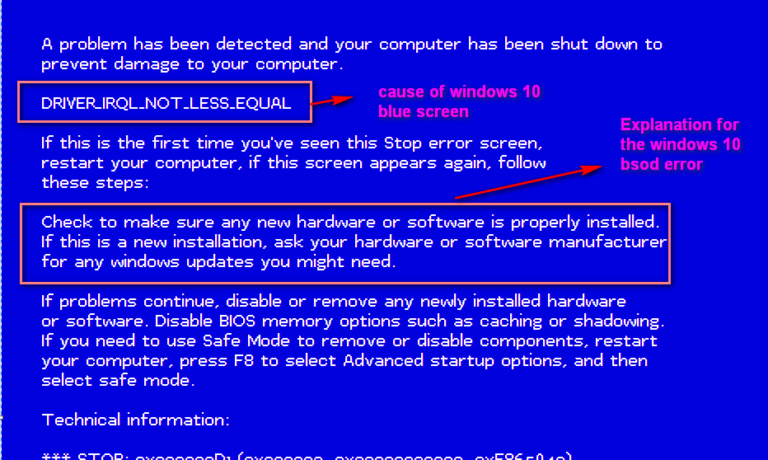
Blue Screen of Death or BSOD is a system error faced by Windows users. The appearance of the blue screen is a sign that your computer is facing serious system issues. This particular error is dreaded by many users. Thus, if you have faced the issue, you knew how unpleasant the experience was.
Fixing this problem can be very mind-consuming because it is quite difficult to know the exact reasons behind the occurrence of the blue screen. That means, you really have to determine the underlying causes of the problem. Fortunately, there are some commonly used tips and tricks that can help you solve the problem on your own.
This article will acquaint you with some measures that will help you repair the problem on your own. Take a look at this information provided to know more.
-
Boot your computer in safe mode
When the blue screen of death appears, just relax and don’t panic. You can try to fix the problem. First of all turn off your computer and then restart it. Now, click F8 before the Windows screen fires up and you will be directed to the Advanced Options screen where you can see many boot options. If you think that the issue with your computer is due to any kind of virus, then select Safe Mode with Networking. This will connect you to the Internet and you can choose Safe Mode and press the Enter button.
You will see the screen display running through all the computer’s drivers. You can expect this boot to fail, but keep in mind the last file that the computer tried to load before failing to boot. Now you can use this file name to search from another computer, which of the drivers in your computer are failing.
If no issue is detected in the drivers then the problem might be with your computer’s hardware.
-
Run virus and malware scan
When your computer is running in Safe Mode run scans for viruses, malware, spyware, and adware. This is the best mode to run a malware scan as the viruses are pacified in this mode.
Also, run different scans for registry problems to find out other potential errors. If this hasn’t solved the problem for you, then go on and try the following problems to fix the issue.
-
Clean all the setup files
Performing a Disk Cleaner can do the trick for you. Open the Start button and type out Disk Cleanup to open the cleanup utility tool. It will comb through all the installed files and the pre-installed files that came with your system as well.
Now select ‘Cleanup system files’, available on the bottom left corner of your screen and check all the boxes to remove the temporary files. Now click on ‘Ok’ and proceed with the deletion process. This process may take a while. Be patient while the process completes.
-
Delete recently installed programs
If the programs that you installed are faulty, then they might cause these errors. You can find the programs on your device’s app setting where you can remove them. Uninstall all programs downloaded from unauthorized sites so that there is no chance for the blue screens to reappear.
-
Update firmware and drivers
Regularly update your device drivers because your device might not always show notifications regarding faulty drivers. This leads to the causes of why these issues are occurring. You can either take professional help to do so or follow online demonstration videos to do it yourself. Also, always keep the firmware of your computer updated and regularly monitor your PC parts to see if any part is facing a high heat level.
-
Check the free space
Blue screens can also appear due to lack of space in your computer’s primary partition. Windows users are recommended to always keep a free space of 100 MB for the smooth running of their computers. If there isn’t enough free space, you can delete some data from your device.
These are some general fixes, that you can try to fix the blue screen issue and if the problems still persist you can always go for a full system restore or seek professional help.
Featured image : windowstechit.com

Author: 99 Tech Post
99Techpost is a leading digital transformation and marketing blog where we share insightful contents about Technology, Blogging, WordPress, Digital transformation and Digital marketing. If you are ready digitize your business then we can help you to grow your business online. You can also follow us on facebook & twitter.
Very important us. Your boot system article