
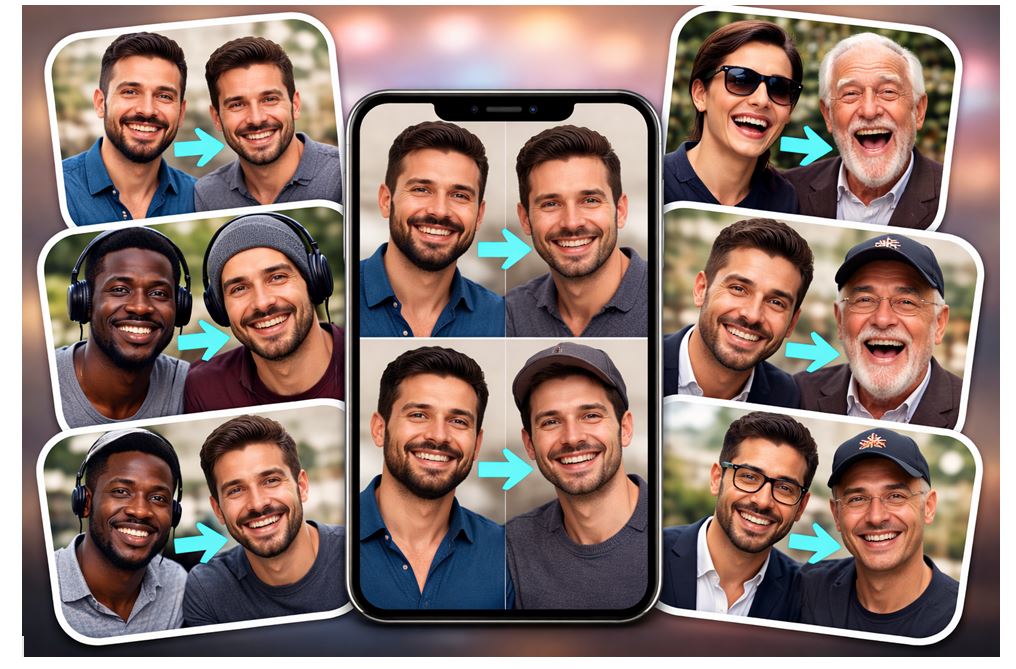
By 2026, Artificial Intelligence (AI) will have changed the way video is created more quickly than expected by many content creators. What previously took hours to create through the entire post-production process with the assistance of a full editing suite, a motion designer, and keyframing can now be accomplished in minutes. The emergence of the Image to Video AI Generator has completely transformed the way marketers, YouTubers, and startup teams create large amounts of content.
Traditional methods of creating videos from still images take time, technical knowledge, and expensive software to complete. Even experienced editors struggle to create realistic motion from a single photo without heavy post-production work.
The solution is a new wave of AI video generators and image to video AI tools that automatically animate still photos using diffusion models, motion synthesis, and deep learning. In many cases, the results are cinematic and social-ready without manual editing.
In this guide, I’ll break down the 10 best image to video AI generators of 2026, ranked based on video quality, motion realism, editing control, rendering speed, pricing, and creator usability. If you’re evaluating AI video creation software 2026, this will help you make a clear decision quickly.
Best Image to Video AI Generators at a Glance:
| Tool | Best For | Motion Quality | Editing Control | Free Plan | Commercial Use |
| Magic Hour | Creators & marketers | Excellent | Advanced | Trial | Yes |
| Runway Gen-3 | AI filmmakers | Excellent | Advanced | Limited | Yes |
| Pika Labs | Short-form creators | Very Good | Moderate | Yes | Yes |
| Kaiber AI | Artistic videos | Very Good | Moderate | Trial | Yes |
| LeiaPix AI | 3D photo animation | Good | Basic | Yes | Limited |
| Luma Dream Machine | Realism-focused creators | Excellent | Moderate | Limited | Yes |
| Stable Video Diffusion | Developers | Variable | Full (technical) | Open-source | Yes |
| Animoto AI | Businesses | Good | Template-based | Trial | Yes |
| DeepBrain AI | Corporate teams | Good | Moderate | Trial | Yes |
| Steve AI | Beginners | Moderate | Basic | Yes | Yes |
What is Image to Video AI?
Video created from image AI is an AI video maker that takes an image and turns it into a moving video. The system uses artificial intelligence to make predictions about an object’s motion, depth and light changes, without requiring any user to actually animate objects in a traditional way.
The current state of technology with respect to image-to-video AI tools relies on diffusion models, motion synthesis engines and deep learning networks trained on very large video data sets. These image-to-video tools now understand how hair behaves when being moved, how camera panning works and how things move in 3-dimensional space.
In 2026, this is important for all creators because attention spans are short, and video is now the primary kind of content on every platform. So, if you can take product images or portraits or even AI-generated artwork and turn them into a moving video instantly, you will have an advantage when posting these videos to your audience or distributing them more broadly.
How We Ranked the Best Image to Video AI Tools?
I evaluated each tool using practical creator-focused criteria:
- Video quality – resolution, clarity, artifact control
- Realistic motion – natural movement vs artificial distortions
- Editing control – prompt control, camera movement, facial motion
- Rendering speed – output time under load
- Pricing – value per output minute
- Commercial usage rights – licensing clarity
- Ease of use – onboarding time for new users
10 Best Image to Video AI Generators of 2026
1. Magic Hour – Best Overall Image to Video AI Generator in 2026
If you’re looking for the best image-to-video, face swap tool, control, and usability, Magic Hour stands out clearly in 2026.
Why #1?
Magic Hour uses an industry-leading AI motion engine that produces ultra-realistic animation from static images. Facial expressions feel natural. Background depth shifts correctly. Camera movement looks intentional rather than random.
What impressed me most during testing was its advanced facial and object movement control. You can fine-tune motion intensity, style, and pacing. It also includes built-in editing tools, reducing the need for post-production.
Rendering is fast, and the interface is clean enough that a marketer can use it without technical training.
Key Features:
- Text + Image to Video generation
- Cinematic motion presets
- Social media optimized export formats
- Commercial license availability
Pros:
- Highest realism in testing
- Easy to use
- Strong for viral short-form content
Cons:
- Premium pricing compared to entry-level tools
Pricing:
Free trial available. Paid plans, Creator: $15/month or $10/month billed annually; Pro: $45/month.
If you’re a YouTuber, TikTok creator, digital marketer, or AI filmmaker, this is hard to beat.
2. Runway Gen-3
Runway remains one of the most advanced generative video platforms available.
Pros:
- High-end generative motion
- Strong timeline editing tools
- Multi-modal input support
Cons:
- Learning curve
- Higher pricing tiers
If you want more creative control and are comfortable with professional tools, Runway delivers powerful outputs.
Pricing:
Subscription-based, mid to high tier.
3. Pika Labs
Pika Labs focuses on fast image animation and short-form content.
Pros:
- Quick generation
- Beginner-friendly
- Strong for social clips
Cons:
- Less granular motion control
- Occasional artifacts
Great for creators prioritizing speed over cinematic depth.
Pricing:
Free tier available, paid upgrades for higher quality.
4. Kaiber AI
Kaiber leans into stylized and artistic video generation.
Pros:
- Unique artistic motion styles
- Music synchronization features
Cons:
- Less realistic than top-tier engines
- Limited advanced control
Ideal for creative experiments and music-driven visuals.
Pricing:
Subscription model with trial access.
5. LeiaPix AI
LeiaPix specializes in 3D depth animation from still images.
Pros:
- Simple workflow
- Social media ready exports
Cons:
- Limited cinematic motion
- Best for subtle animations only
Useful for quick depth effects rather than full cinematic motion.
Pricing:
Free version with watermark, paid upgrade available.
6. Luma Dream Machine
Luma produces impressive realism and motion consistency.
Pros:
- Strong depth modeling
- Smooth camera simulation
Cons:
- Longer render times during peak usage
- Still evolving feature set
If realism is your top priority, this tool deserves testing.
Pricing:
Usage-based credits.
7. Stable Video Diffusion
An open-source option for developers and technical users.
Pros:
- Fully customizable workflows
- Open ecosystem
Cons:
- Requires technical setup
- No polished UI
Best suited for AI developers and research teams.
Pricing:
Free (compute costs apply).
8. Animoto AI
Animoto focuses on business and marketing video creation.
Pros:
- Template-driven simplicity
- Fast business-ready outputs
Cons:
- Limited creative freedom
- Less cinematic
Ideal for small businesses producing ads quickly.
Pricing:
Subscription tiers for businesses.
9. DeepBrain AI
DeepBrain integrates AI presenters into video workflows.
Pros:
- AI avatar support
- Corporate-ready outputs
Cons:
- Less focus on artistic animation
- Enterprise pricing
Strong choice for training and explainer videos.
Pricing:
Enterprise-oriented plans.
10. Steve AI
Steve AI is beginner-friendly and affordable.
Pros:
- Easy interface
- Budget-friendly
Cons:
- Moderate realism
- Fewer advanced controls
Good starting point for new creators testing AI video.
Pricing:
Free tier available, affordable upgrades.
Image to Video AI vs Traditional Video Editing
| Feature | AI Generator | Traditional Editing |
| Speed | Very Fast | Time Consuming |
| Skill Required | Low | High |
| Cost | Lower | Expensive |
For static image animation specifically, AI tools are significantly more efficient.
Who Should Use Image to Video AI in 2026?
Using image-to-video AI technology, YouTube Creators looking to make an engaging introduction or convert thumbnails from a still frame to motion can take advantage of this technology. Influencers using social media can turn a portrait into a short vertical video very quickly.
E-commerce businesses can benefit from converting their product images into motion to create compelling ad content that stops people from scrolling. Affiliate marketers will be able to create promotional content at an efficient rate across multiple platforms.
Digital agencies can increase output capacity without expanding their editing team. AI content creators experimenting with synthetic visuals gain a fast iteration workflow.
If you are producing content weekly and need scalable video assets, these tools provide a clear advantage.
Benefits of Using Image to Video AI Tools:
The biggest benefit is time savings. What previously required hours of editing can now be done in minutes.
You don’t need advanced editing skills. The AI handles camera movement, motion depth, and transitions automatically.
Content production becomes scalable. Teams can generate dozens of variations quickly for A/B testing.
Engagement increases because motion outperforms static images on nearly every social platform.
Finally, these tools are cost-effective compared to hiring full-time video editors or agencies. For startups and creators, that efficiency directly improves ROI.
Final Verdict:
After testing all ten tools, the top three are Magic Hour, Runway Gen-3, and Luma Dream Machine. Each delivers high-quality motion and reliable output.
Magic Hour ranks first because it balances cinematic realism, editing control, and usability better than any competitor. It works equally well for creators, marketers, and startups.
If you want maximum creative control, choose Runway. If you want realistic motion depth, test Luma. But if you want the most practical, creator-ready image to video AI generator in 2026, Magic Hour is the safest and strongest choice.
I recommend testing at least two platforms before committing. Your workflow matters more than feature lists.
FAQs:
What is the best image to video AI generator in 2026?
Magic Hour leads due to realism, motion control, and creator-friendly editing features.
Are image to video AI tools free?
Many offer free trials, but premium plans unlock higher-quality exports.
Can I use AI-generated videos commercially?
Yes, if your subscription includes commercial usage rights.
Is AI video generation legal?
Yes, when using original or properly licensed images.
