
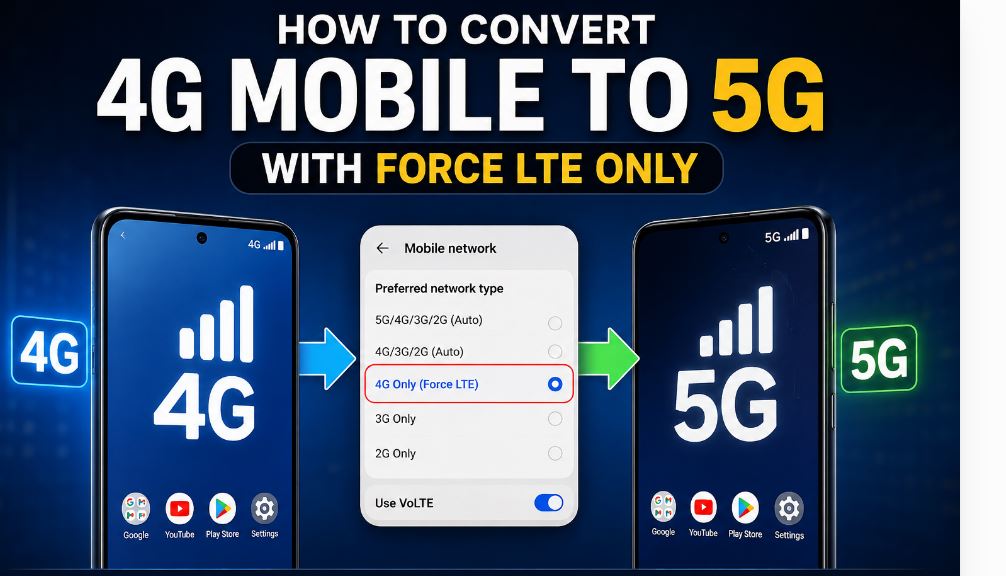
So you want to know how to get 5G on your 4G phone. You are definitely not the one looking for this. Lots of people want to get 5G speed on their existing 4G smartphones without having to buy a phone.
There are videos and tutorials on the internet that say apps like Force LTE Only can turn your 4G phone into a 5G phone.. Can they really do that? The answer is no.
An app cannot change what your phone is capable of doing. Your phones hardware is what it is. However Force LTE Only can help you have an experience, with your network in some cases.
In this guide I will tell you what Force LTE Only actually does, when it is useful and what you need to do if you really want to use 5G services on your phone
What Is Force LTE Only?
I have a problem with my phone. I found this app called Force LTE Only. It is an Android application that lets me change some hidden network settings on my phone.
This app is helpful when my phone keeps switching between networks like 3G, 4G and 5G.
The Force LTE Only app can be really useful in these situations:
- My phone is always switching between 3G, 4G and 5G networks.
- I have really slow internet speeds. It is very frustrating.
- My phone company supports Force LTE Only. The signal keeps changing to other networks.
- I want my phone to stay connected, to the 4G LTE network all the time.
The Force LTE Only application does not add any parts to my phone or do anything that is not supported by my phone.
Can Force LTE Only Convert a 4G Phone Into a 5G Phone?
No. This is the most important thing every smartphone user should understand.
If your phone was manufactured as a 4G device, no application can convert it into a true 5G smartphone. The reason is simple. A 5G smartphone includes special hardware components that support 5G connectivity.
These components include:
- A 5G modem.
- Compatible antennas.
- Supported chipsets.
- Manufacturer-certified software support.
Without these components, a phone cannot communicate with 5G networks.
Many websites claim that how to convert 4g to 5g from force lte is possible within a few minutes. These claims are misleading. Force LTE Only can improve your existing LTE experience, but it cannot create 5G capabilities where none exist.
Why Do People Think Force LTE Only Enables 5G?
There are several reasons for this confusion.
Hidden Network Settings
Some smartphones come with both 4G and 5G hardware but ship with network settings that are not enabled properly by carriers. In such cases, changing network preferences may allow users to access available 5G services.
This applies only if:
- Your phone already supports 5G.
- Your SIM card supports 5G.
- Your carrier offers 5G services.
- Your location has 5G coverage.
Marketing Videos
Many online videos use attractive titles claiming:
- Convert 4G to 5G instantly.
- Unlock hidden 5G settings.
- Get unlimited 5G speed.
These titles often create false expectations among users. No software application can replace missing hardware.
How to Use Force LTE Only Properly?
If you still want better LTE performance, follow these steps carefully.
Step 1: Check Your Smartphone Specifications
Before making any changes:
- Visit your manufacturer’s website.
- Confirm whether your phone supports 5G.
- Check the chipset specifications.
If the specifications mention only LTE or 4G support, the device cannot become a 5G phone.
Step 2: Install the Application
Download the application from trusted sources if it is available for your device.
Remember that some manufacturers restrict access to hidden network settings.
Step 3: Open Network Information Settings
The application usually redirects users to:
- Phone Information
- Network Settings
- Preferred Network Type
These options vary depending on Android versions and manufacturers.
Step 4: Select LTE Only Mode
If your goal is stable connectivity, select LTE Only mode when available.
Benefits include:
- Stable internet speed.
- Reduced network switching.
- Better battery management in some situations.
- Improved browsing experience.
Step 5: Restart Your Device
After changing network preferences:
- Restart the phone.
- Check signal strength.
- Test browsing speed.
Many users report improved stability when their devices remain connected to LTE networks consistently.
Install the App by clicking the install link below and convert your 4g mobile to 5g.
Install
FAQs About Convert 4G to 5G From Force LTE
Can I convert my 4G phone into a 5G phone using Force LTE Only?
No. Force LTE Only cannot add 5G hardware support to a 4G smartphone.
Why do some tutorials claim it works?
Many tutorials use misleading titles to attract views. They often demonstrate phones that already include 5G hardware.
Will Force LTE Only improve internet speed?
It may improve stability by preventing unnecessary network switching. Results depend on signal quality and carrier performance.
Does LTE Only mode consume less battery?
In some situations, yes. Stable network connections may reduce battery usage caused by constant signal changes.
Can software updates enable 5G?
Only if the smartphone already includes supported 5G hardware and manufacturer support. Software alone cannot transform a 4G phone into a 5G device.
Is Force LTE Only safe to use?
Generally, it only accesses available Android network settings. Users should download applications from trusted sources and understand that compatibility varies across devices.
Final Thoughts
Understanding how to convert 4g to 5g from force lte starts with understanding what the application actually does. Force LTE Only is useful for improving LTE stability and managing preferred network settings, but it cannot transform a 4G smartphone into a genuine 5G device.
