

Starting a new WooCommerce store is an exciting experience, but it can also be daunting as soon as you begin browsing plugins.
The truth is that WooCommerce itself is a very lean solution. Almost all of the functionality that isn’t basic, payment, shipping, invoices, marketing, and performance-related is handled by plugins. This is what makes WooCommerce so versatile, but it’s also why many new WooCommerce stores experience issues early on because they install too many plugins, or the wrong ones.
The objective of this phase of development is not to create the most complex store possible. It is to create a solid, fast, and scalable foundation.
For this article, we have compiled the full plugin configuration for new WooCommerce stores, including 20 must-have plugins that you actually need to successfully run and operate your store. Whether you’re launching your first store or installing WooCommerce for a client, this guide will help you make informed decisions about which plugins to use and how to avoid common pitfalls to create a store that’s ready to thrive from day one.
20 Essential Plugins Every New WooCommerce Store Needs
1. Import Export Suite for WooCommerce
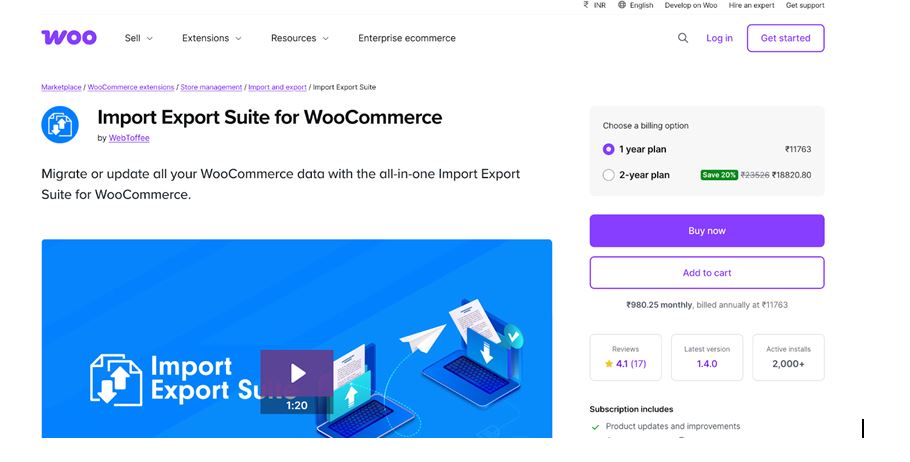
Import Export Suite for WooCommerce is an all-in-one data management plugin that makes import, export, migration, and updates a breeze for your WooCommerce store. Whether you are setting up a new site, migrating data from one store to another, or performing periodic updates for inventory and customer information, this suite of plugins does the hard work for you.
This all-in-one plugin supports a variety of data types in WooCommerce, such as products, orders, customers, coupons, subscriptions, product reviews, and more, and allows you to import and export them from/to your store using CSV, XML, TSV, or Excel files.
It also has other advanced features like scheduled import/export tasks, customizable templates, history logs for tracking processes, and even migration of user credentials.
2. Mollie Payments for WooCommerce
Mollie Payments for WooCommerce is a robust and easy-to-use payment gateway plugin that enables you to accept a broad range of payment types right within your WooCommerce website. Using Mollie, you can easily provide your customers with popular payment options such as credit and debit cards, Apple Pay, Google Pay, Klarna, SEPA Direct Debit, and more regional European payment methods—with little setup needed.
This plugin is ideal for small businesses as well as rapidly growing online stores, as it perfectly integrates with the checkout system of WooCommerce, enabling you to have secure, PCI-compliant payments without having to redirect your customers away from your website. Mollie also makes it easy for you to settle and report payments, allowing you to easily track payments right from your WooCommerce dashboard.
No matter if you are selling your products locally or globally, Mollie’s flexible payment solutions can definitely help boost conversion rates by allowing you to provide your customers with the payment options they prefer.
3. WooCommerce Product Recommendations
WooCommerce Product Recommendations by WebToffee assists you in raising the average order value and enhancing sales by providing intelligent and context-driven product recommendations across your store. Rather than pointing to generic “related products,” this plugin allows you to set up targeted recommendation feeds such as “Customers Who Bought This Also Bought,” “Trending Products,” “You May Also Like,” and much more, according to actual customer behavior and your desired logic.
You can showcase recommendations at prime locations such as product pages, cart pages, checkout pages, and even after-purchase pages, providing customers with relevant suggestions at the point of purchase. This plugin allows store owners to implement recommendation logic without coding, which is particularly helpful for stores looking to grow sales through effective upsells and cross-sells.
4. Otter Blocks
Otter Blocks is a free plugin that adds a wide range of useful blocks and design features to the WordPress block editor (Gutenberg), making it easier to create beautiful and conversion-optimized pages without the need for a separate page builder plugin.
Using Otter, you can add advanced layout and content blocks such as hero sections, pricing tables, sliders, testimonials, post grids, and many others, giving your WooCommerce store the flexibility to create interesting product pages, landing pages, and homepages using the Gutenberg editor you already know and love.
Otter also comes with advanced functionality such as row and column blocks with spacing options, responsive settings, and animation capabilities, allowing store owners to enhance page design and user experience without requiring any custom coding. Whether you are launching your new WooCommerce store or improving your design, Otter Blocks gives you the power to create professional layouts and interactive elements using Gutenberg.
5. WooCommerce PDF Invoices & Packing Slips
WooCommerce PDF Invoices & Packing Slips is an essential plugin for any WooCommerce store aiming to provide a professional and compliant post-purchase experience for customers. This plugin enables the automatic generation of PDF invoices, packing slips, credit notes, shipping labels, and delivery notes for your orders, thus saving you time on paperwork and helping you provide a polished and consistent brand experience.
You can personalize the invoice templates with your logo, store name, tax details, and legal statements, and define rules on which documents to generate and under which circumstances (for example, completed orders generate invoices, and processing orders generate packing slips). The plugin also allows you to generate invoices in bulk and attach them to emails so that customers receive their invoices right in their order confirmation emails.
No matter if you are running a local or an international business, WooCommerce PDF Invoices & Packing Slips will help you increase professionalism, improve customer communication, and optimize the administrative workflow of your store.
6. Site Reviews
Site Reviews is an adaptable review and rating plugin that assists WooCommerce sites in gathering, managing, and showcasing genuine customer reviews on products, pages, and custom post types. Unlike other review plugins, Site Reviews provides complete control over the review submission, approval, and display process for WooCommerce site owners.
The plugin comes with features such as star ratings, custom review forms, verified reviews, review moderation, and shortcodes or blocks for embedding reviews anywhere on your site. The plugin also integrates seamlessly with WooCommerce products, enabling customers to leave in-depth reviews that help other customers make well-informed purchasing decisions.
Site Reviews is particularly useful for new WooCommerce sites since it enables them to build credibility and social proof without having to use third-party services.
7. CartFlows
CartFlows is a powerful conversion optimization plugin that helps WooCommerce store owners design high-converting sales funnels, one-step checkouts, and upsell/downsell offers without coding. By replacing the default WooCommerce checkout with more streamlined, customizable flows, CartFlows reduces friction in the purchase process and boosts average order value.
With programmable steps and templates, you can create tailored purchasing journeys that guide customers from product selection to checkout, including order bumps, thank-you page offers, and post-purchase upsells. The plugin also integrates with popular page builders like Elementor, Beaver Builder, and Gutenberg, making it easy to design visually engaging funnels that match your brand.
Whether you’re launching a new product, running seasonal promotions, or simply optimizing your conversions, CartFlows helps you move beyond the standard cart and checkout experience in WooCommerce.
8. Smart Coupons for WooCommerce Plugin
Smart Coupons for WooCommerce is a powerful and flexible coupon management plugin that helps you create a wide range of promotional offers to drive sales and boost customer engagement. Unlike the basic coupon tools built into WooCommerce, this plugin lets you generate advanced coupons, store credits, gift vouchers, and bulk coupon codes with customized conditions and expiration rules.
With Smart Coupons, you can design offers like percentage discounts, fixed cart discounts, free shipping coupons, buy-one-get-one (BOGO) deals, and targeted incentives for specific products or customer segments. It also includes options for email delivery of coupons, setting usage limits, and automatically applying discounts at checkout. These features make it easier to run effective sales campaigns, reward loyal customers, and reduce cart abandonment.
Whether you’re launching a seasonal sale, nurturing repeat buyers, or offering incentives to new customers, Smart Coupons for WooCommerce gives you the promotional flexibility every growing store needs.
9. Return Refund and Exchange For WooCommerce
Return Refund and Exchange For WooCommerce is a customer-friendly returns and exchange management plugin that helps WooCommerce stores handle refunds and product exchanges more efficiently. Instead of managing return requests manually through emails or support tickets, this plugin adds a structured refund and exchange workflow directly to your store.
With Woo Refund and Exchange Lite, customers can request refunds or exchanges from their My Account page, select reasons, and track request status, reducing friction and support workload. Store owners can review, approve, or reject requests from the WooCommerce dashboard, keeping the process transparent for both sides.
For new WooCommerce stores, this plugin is especially valuable because it sets clear expectations around post-purchase support, builds customer trust, and helps prevent negative experiences after checkout.
10. eCommerce Marketing Automation
eCommerce Marketing Automation helps store owners automate customer engagement and marketing workflows without relying on manual effort. This tool enables you to send targeted, behavior-based campaigns like welcome sequences, cart abandonment reminders, and product recommendations at the right time to the right audience.
Instead of manually managing lists and broadcasts, you can set up rule-based automations that trigger when customers take specific actions (e.g., abandoning a cart, placing their first order, or reaching a milestone). With customizable templates and tracking insights, the app makes it easy for new stores to implement email and marketing automation strategies that nurture sales, boost retention, and increase lifetime value.
Whether you’re just starting out or scaling your marketing efforts, eCommerce Marketing Automation for WooCommerce empowers you to grow revenue through personalized marketing.
11. Cart Abandonment Recovery for WooCommerce
Cart Abandonment Recovery for WooCommerce is a conversion-focused plugin that helps WooCommerce stores recover lost sales by automatically following up with customers who abandon their carts. Instead of letting potential purchases slip away, the plugin captures abandoned cart data and sends timely reminder emails to bring shoppers back to complete their orders.
The plugin allows you to set up automated email sequences with customizable content, timing, and conditions, such as sending reminders after a few hours or days of cart inactivity. It also tracks recovered carts and conversion performance, giving store owners insight into how much revenue is being saved through recovery campaigns.
For new WooCommerce stores, this is especially valuable because it delivers quick wins: even a small number of recovered carts can significantly impact revenue without additional advertising spend.
12. WooCommerce Product Feed Plugin
WooCommerce Product Feed helps you generate optimized product feeds for multiple shopping channels, marketplaces, and comparison engines such as Google Shopping, Facebook, Bing, Amazon, and more. Instead of manually creating and managing product data for each platform, this plugin automates feed creation with customizable templates, filtering, and category mapping to meet each channel’s requirements.
With support for unlimited feed formats and channels, you can scale your store’s reach and bring more targeted traffic to your products. The plugin lets you include or exclude products, assign custom attributes, manage variable products, and schedule automatic feed updates, reducing manual workload and ensuring your listings stay current across all platforms.
Whether you’re expanding into new marketplaces or improving your performance on existing channels, WooCommerce Product Feed gives your store the product data infrastructure needed for modern multichannel commerce.
13. Wordfence Security
Wordfence Security is one of the most trusted security plugins for WordPress and WooCommerce, designed to protect your online store from hacks, malware, and malicious traffic. It includes a powerful web application firewall (WAF) that blocks common threats, real-time malware scanning, and login security features like brute-force protection and two-factor authentication.
With Wordfence installed, your store receives continuous protection against known attack vectors, bots, and suspicious behavior, as well as detailed alerts and reporting from the Wordfence dashboard. The plugin helps keep your WooCommerce environment secure, especially critical when handling customer data, payments, and checkout pages.
For new WooCommerce stores, Wordfence Security offers peace of mind by hardening your site against emerging threats and providing tools to monitor and respond to security issues before they impact your business.
14. GDPR Cookie Consent Plugin
GDPR Cookie Consent for WooCommerce helps WooCommerce store owners comply with global privacy regulations like GDPR, CCPA, and other data protection laws by managing cookie consent effectively. The plugin displays customizable cookie banners and consent notices, allowing visitors to choose which cookies they accept, essential for respecting user privacy and staying compliant with legal requirements.
With this plugin, you can configure cookie categories, create tailored consent messages, enable automatic script blocking until consent is given, and include links to your privacy policy. It also supports multiple display types, banner positions, color customization, and geolocation-based consent prompts to ensure a seamless user experience.
For new WooCommerce stores, GDPR Cookie Consent for WooCommerce builds trust with customers and helps avoid privacy compliance issues that could lead to fines or loss of customer confidence, especially if you’re targeting audiences in the EU, UK, or regions with similar privacy laws.
Conclusion
Launching a new WooCommerce store doesn’t require dozens of plugins—it requires the right ones.
The 20 tools covered in this guide are designed to help you build a store that’s not only functional on day one, but also stable, secure, and ready to scale. By focusing on core functionality first, then layering in conversion, marketing, automation, and maintenance tools, you avoid the common pitfalls of plugin overload, performance issues, and complex setups.
Remember, plugins should support your business goals, not complicate them. Start with the essentials, configure them properly, and add new tools only when there’s a clear need. Whether you’re launching your first WooCommerce store or setting up one for a client, this checklist gives you a practical starting point to build with confidence and grow without friction.
