

Spy apps have become more common as people look for ways to monitor phone activity secretly. A survey found that 75% of parents worry about their children’s online safety, and 40% actively use parental control apps to track their digital behavior. With online threats increasing, more families are turning to spy apps for peace of mind.
When I first started researching spy apps, I was overwhelmed by the sheer number of options. Many of them promised similar features—GPS tracking, social media monitoring, and call logs—but not all delivered. After testing several, Msafely stood out. It offers a great balance of advanced features while being easy to use.
In this review, I’ll discuss what makes Msafely one of the top spy apps for Android and why it’s the right choice for your needs.
Our Verdict of Msafely
I have used Msafely, and I can attest that it’s one of the best spy apps for Android device tracking. As a parent who wishes to monitor the phone activity of your child or just someone looking for a straightforward way to track a device, Msafely makes the process easy for you.
What I liked most was how clean and user-friendly its interface was. Unlike some spy apps that flood you with excessive data, Msafely organizes everything neatly so you can quickly find what you need. If you want to monitor texts, calls, or browsing activity, it’s all there without unnecessary complexity.
Another thing that stood out to me was how effortless the setup was. With just a couple of clicks, I was able to access my control panel through the Msafely website and remotely start tracking. I was able to track location, photos, videos, email, text messages, and even social software like WhatsApp and Snapchat—all without ever having to have physical access to the device after the initial setup.
No app is faultless, however, so here’s a quick summary of Msafely’s pros and cons:
| Pros | Cons |
| All-in-one monitoring for calls, messages, GPS. | No free trial. |
| Real-time tracking and alerts for quick action. | |
| Works in stealth mode to remain undetectable. | |
| Simple user interface. | |
| Compatible with both iOS and Android. |
So I would say, if you’re looking for a reliable spy app for Android, Msafely is definitely worth considering.
What Is Msafely
Msafely is a powerful monitoring app or spy app designed for tracking activity on both Android and iPhone devices.
One thing that is most impressive about Msafely is how quietly it runs in the background. Unlike some spy apps that might send notifications or drain battery life, Msafely stays completely hidden, so the person using the phone has no idea it’s being monitored. Msafely does not require you to jailbreak your device.
Msafely keeps you informed in real-time. The app synchronizes data from the target phone to your control panel every few minutes, so you never have to ask yourself what’s happening. You can see photos, videos, calls, messages, locations, emails, and even social media activity—all on one screen.
Security is also a top priority with spy apps, and Msafely ensures that all the data is encrypted, so your tracking is safe and confidential. And because the app is updated regularly, it is compatible with the latest iOS and Android operating systems, so you don’t have to worry about it being obsolete.
Msafely uses cloud technology so you don’t need to install anything compared to other apps that always require software updates or manual installs.
So, if you need an unobtrusive and trusted method of phone monitoring, Msafely definitely meets all the right criteria. Parents can use it to monitor their kids’ phones, and anyone who needs an unobtrusive monitoring tool will find it easy and effective.

Msafely Features Breakdown
After personally using Msafely, I can say it strikes the perfect balance between effective monitoring and staying completely undetectable. Let’s break down the key features that make Msafely one of the best spy apps for Android:
- Call and SMS Monitoring
With Msafely, you can view call logs, see sent and received texts, and even recover deleted messages. This is useful for tracking suspicious contacts or ensuring kids aren’t being contacted by strangers.
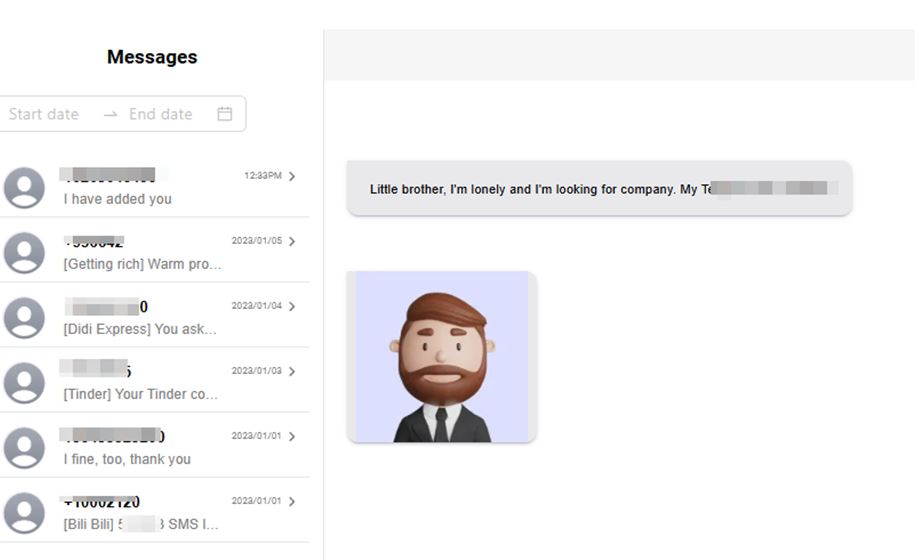
Photo and Video Tracking
Msafely lets you see all photos and videos on the target phone, including downloaded, shared and received images and videos. This makes it very useful for parents who have to track their children’s online activities.

- GPS Location Tracking & Geofencing
Msafely keeps a complete log of a target device’s locations in real time. Even better, the geofencing feature allows you to set location boundaries—if the phone enters or leaves a specific area, you’ll get an instant alert. This is a lifesaver for parents who want to ensure their child stays in safe zones. I have found this very useful.

- Monitoring Social Media in Real-Time
Social media is where the majority of the interactions are, and Msafely gives you immediate access to important platforms like WhatsApp, Facebook, Instagram, and Snapchat. You can see messages, shared media, and even deleted messages so nothing slips through the cracks.
- Email & Browser History Tracking
You can check all sent and received emails, including deleted ones, ensuring that no hidden conversations go unnoticed. Plus, Msafely logs all websites visited, which is helpful for blocking inappropriate content on a child’s phone.
- Installed App Monitoring
If you want to know which apps are being used the most on the target phone, Msafely lets you see all installed apps, along with their version and usage patterns. If you notice apps like TikTok, Discord, or anonymous chat apps, you can monitor their activity or remove them if necessary.
How Msafely Works
Msafely is designed to be as simple and discreet as possible. You don’t need to be a tech expert to set it up, and you don’t even need physical access to the target phone.
For Android devices, you can use Msafely’s cloud-based monitoring and there is no app installation required. This is great if you can’t physically access the phone but still want basic monitoring. Here is how it works;
- Msafely tracks Android phones remotely using the device’s Google account.
- You just need to link the Google account, and Msafely will start pulling location data, browsing history, and other key details.
Once Msafely is connected to the target phone, it continuously captures data in real-time and sends it securely to your online dashboard. You can log in anytime from your phone, tablet, or computer and view everything—messages, call logs, GPS locations, social media activity, and more.
How to Use Msafely to Spy on Someone’s Android Device
Setting up Msafely on an Android is very easy. When I first attempted to use it, I was surprised at how quick and straightforward the process was. You don’t need to be computer savvy to operate it—just follow some simple steps, and you’re up and running in minutes.
Step 1: Create an Account
First, go to the Msafely website and sign up using an active email address. This will bring you to the Msafely Control Panel, where all of the tracking data will be displayed.
Step 2: Choose the Target Device
Then you’ll be required to decide if you’re monitoring an Android or an iPhone.
Step 3: Pick a Subscription Plan
Msafely offers three subscription options: 1 month, 3 months, and 12 months. Choose the plan that best suits your needs.
Step 4: Start Monitoring in Real Time
Once everything is set up, log into your Msafely Control Panel from your phone, tablet, or computer. From there, you can see everything on the target Android device like:
- Text messages (including deleted ones)
- Call logs & contact details
- Social media activity (WhatsApp, Facebook, Snapchat, etc.)
- Real-time GPS location
- Web browsing history & installed apps, and more.
Everything updates in real-time, so you’ll always know what’s happening on the target device.
Pricing and Plans of Msafely
When I first looked into Msafely, I was glad to see that their pricing is flexible. Msafely’s pricing plans make it easy to choose a plan that fits your budget and monitoring needs. So, if you need to keep an eye on someone’s phone for a short period or want a long-term solution, there’s a plan that works for you.
One thing I really appreciated was the free demo—it gave me a chance to test the features before committing to a subscription. If you’re new to Msafely, I highly recommend trying the demo first to see how everything works.
| Plan | Price |
| 1-Month Plan | $39.99 |
| 3-Month Plan | $23.33 per month |
| 12-Month Plan | $8.33 per month |
What’s great about these options is that you can choose what works best for you. If you just need to test things out, the one-month plan is perfect. But if you’re looking for long-term monitoring, the 12-month plan gives you the best value.
Msafely Reviews From Real Users
Before I decided to try Msafely, I did what most people do—I checked the reviews. With nearly 1.5 million users in over 180 countries, I wanted to see what real people had to say about their experiences. What stood out to me was that 98% of users gave positive feedback, which is pretty impressive.
Here are a few reviews from real users who have shared their thoughts on Trustpilot:
Anthony Norton from the U.S. shared that he was feeling insecure about his boyfriend but using Msafely gave him peace of mind. He was able to see texts and calls, which helped him relax and build trust. He said, “No more late-night worries, just straight-up trust. Feels way better—communication is key, people!“
Ellis Ward also found the app useful in his relationship. He wanted to be sure his girlfriend wasn’t talking to her ex too much, and Msafely helped him check their conversations. He admitted, “Honestly, it was a relief. We’re good now, no secrets. Relationships need honesty, right?“
For parents, Msafely has been very useful. Kieran Wong said he was worried about what his son was seeing online, but the app’s web filter helped block inappropriate content while also letting him check search history. “Feeling way better about his safety!” he wrote.
Similarly, Louie Steele shared that his son uses WhatsApp all the time, and thanks to Msafely, he was able to see his messages and who he was talking to. He even caught some bullying early and said, “Glad I got it!“
For some users, Msafely provides much-needed reassurance in their personal lives. Liam Pearson mentioned that his partner works late, and he was constantly stressing about it. Msafely allowed him to check his partner’s location, and he found out he really was at the office. He explained, “Totally eased my mind. Sometimes you just need to know.“
Reading these reviews made me feel more confident about using Msafely. It’s reassuring to see that so many people—from concerned parents to individuals in relationships—have found real value in the app. Msafely has clearly made a difference for many users.
Msafely vs. Competitors
When looking for a reliable spy app, you’ll likely come across several options like SpyX, SpyPhone, KidsGuard Pro, uMobix, mSpy, Eyezy, and Spylix. Although these apps offer various monitoring features, based on my testing, the best Android spy apps, I can confidently say that Msafely stands out as the best choice. Its comprehensive tracking solutions, simple user interface, and excellent customer support make it the top option.
One major factor that sets Msafely apart is its stealth mode and data encryption. Unlike some competitors, Msafely operates completely undetected, meaning the target phone’s user won’t even know they’re being monitored. Another key advantage is cloud-based tracking, which allows you to monitor a device without needing to install any software directly onto the phone.
This makes Msafely a hassle-free and more discreet solution compared to apps that require manual installation.
Here is a comparison of Msafely and other popular spy apps
| App | Location Tracking Features | Supported Devices | Security & Stealth Mode | Customer Support | Free Trial/Demo |
| Msafely | Real-time tracking, geofencing, and location history | Android, iOS | Fully encrypted, runs in stealth mode | 24/7 live chat & email support | Free demo available |
| SpyX | Real-time tracking, location history | Android, iOS | No stealth mode, standard encryption | Limited support | Free demo available |
| SpyPhone | Location history, live tracking updates | Android, iOS | Basic encryption, not fully hidden | Standard email support | Free version available |
| KidsGuard Pro | Real-time tracking, geofencing, movement alerts | Android, iOS | Strong security, partial stealth mode | Good customer support | Free demo available |
| uMobix | Real-time GPS tracking, location updates | Android, iOS | Encrypted, but may be detectable on some devices | 24/7 support | Free demo available |
| mSpy | Geofencing, location history, live GPS updates | Android, iOS | Encrypted and hidden | Priority support | Free demo available |
| Eyezy | GPS tracking, real-time movement updates | Android, iOS | Good encryption, stealth mode varies | Limited support | Free demo available |
| Spylix | Live GPS tracking, geofencing alerts | Android, iOS | Moderate encryption, not always hidden | Limited support | Free demo available |
Final Verdict
After thoroughly testing Msafely, I can say that this app delivers highly effective monitoring backed by strong user reviews and excellent customer support. It’s been an essential tool for keeping my family safe online.
With features like real-time GPS tracking, social media monitoring, and call logs, you get valuable insights without complicated setups. Its cloud-based design and stealth mode allow you to monitor activity without being detected, making it one of the most secure and hassle-free tracking solutions available.
Whether you need short-term or long-term monitoring, Msafely’s flexible pricing plans ensure you’ll find an option that works for you.
Msafely stands out as the best spy app for Android. It is a tool you can trust—and one I highly recommend.
FAQs About Msafely
1. Is Msafely completely hidden on the target device?
Yes! Msafely runs in stealth mode, meaning there are no visible icons or notifications, so the person being monitored won’t know it’s there.
2. What social media apps can Msafely monitor?
Msafely tracks WhatsApp, Facebook, Instagram, Snapchat, Telegram, and more, letting you see messages, calls, and shared media.
3. Can Msafely track deleted messages?
Yes, Msafely can recover and display deleted texts, WhatsApp messages, and other social media chats, giving you full insight.
4. Does Msafely require rooting or jailbreaking?
Nope! Msafely works without rooting Android or jailbreaking iOS, making it easy and safe to use without altering the device.
5. Is there a free trial or demo?
Yes! Msafely offers a free demo, so you can test the features before committing to a subscription.
Read Also:
Filmy4app.com: Best Tool for Monitoring WhatsApp and Instagram Activity
Image source: freepik
